Passwordless Authentication: Complete Guide, Basics & Key Insights
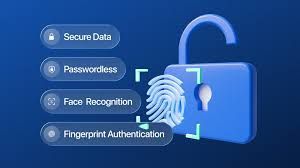
Passwordless authentication is a secure login method that allows users to access accounts without typing a traditional password. Instead of relying on memorized credentials, it uses alternatives such as biometric authentication, one-time passcodes, hardware tokens, or cryptographic security keys.
Traditional passwords have long been the default method for identity verification. However, they are often weak, reused, or vulnerable to phishing attacks and data breaches. Passwordless systems were developed to reduce these risks and improve digital identity security.
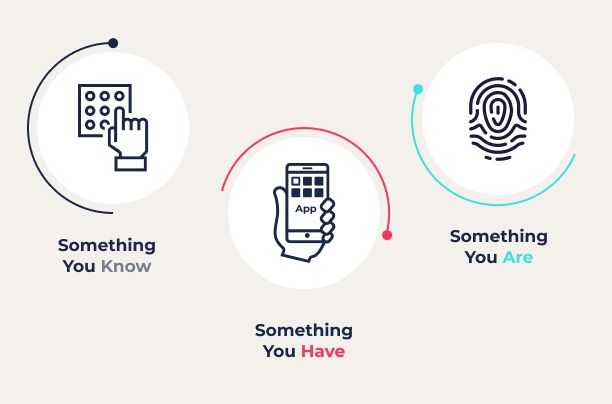
In simple terms, passwordless authentication replaces “something you know” (a password) with “something you are” (biometrics) or “something you have” (a device or token). This approach is widely used in online banking, enterprise cybersecurity systems, cloud computing platforms, and consumer applications.
Common passwordless methods include:
-
Biometric authentication such as fingerprint or facial recognition
-
Email-based or SMS-based one-time passcodes
-
Push notification approvals
-
Hardware security keys
-
Passkeys based on public-key cryptography
Passwordless technology is closely connected with identity and access management (IAM), multi-factor authentication (MFA), and zero trust security frameworks.
Importance
Passwordless authentication matters because password-related security incidents remain a major cybersecurity risk. Weak passwords, credential stuffing, phishing, and social engineering attacks continue to affect individuals and organizations.
Key reasons this topic is important:
-
Reduces phishing risk by eliminating password entry fields
-
Limits damage from data breaches
-
Improves user experience with faster login
-
Strengthens enterprise cybersecurity compliance
-
Supports remote work and cloud-based infrastructure
For businesses, password management can be complex. IT teams spend time resetting forgotten passwords and managing account recovery. Passwordless systems reduce this burden while increasing account security.
For individuals, password fatigue is common. Many users struggle to remember multiple strong passwords across banking, social media, and digital services. Passwordless authentication simplifies login while maintaining higher security standards.
Industries that benefit most include:
-
Financial institutions
-
Healthcare providers
-
Government agencies
-
Technology companies
-
E-commerce platforms
As digital transformation continues, passwordless authentication plays a growing role in secure access management and fraud prevention.
Recent Updates
Passwordless authentication has seen significant development in the past year, especially around passkeys and industry collaboration.
Several major technology organizations have expanded support for passkeys, which are based on standards from the FIDO Alliance. Passkeys use public-key cryptography and are resistant to phishing because credentials are not stored in a central server database.
Companies such as Google, Apple, and Microsoft have strengthened cross-platform passkey compatibility. This means users can sign in across devices without relying on traditional passwords.
Recent trends include:
-
Wider adoption of FIDO2 standards
-
Increased enterprise deployment of hardware security keys
-
Integration of passwordless login in cloud computing platforms
-
Growth in biometric authentication on mobile devices
-
Alignment with zero trust cybersecurity strategies
Cybersecurity reports continue to highlight phishing-resistant authentication as a priority. Organizations are shifting from optional MFA toward passwordless-by-default systems.
Laws or Policies
Passwordless authentication is influenced by data protection regulations and cybersecurity compliance frameworks.
Data privacy laws require organizations to protect personal data and implement reasonable security measures. Passwordless authentication supports compliance by reducing the risk of unauthorized access.
Regulatory frameworks often emphasize:
-
Strong authentication controls
-
Secure storage of credentials
-
Encryption standards
-
Audit and monitoring capabilities
Industries such as finance and healthcare face stricter identity verification requirements. In these sectors, passwordless authentication can help meet regulatory standards for secure digital access.
Government cybersecurity strategies increasingly encourage multi-factor and phishing-resistant authentication as part of national digital infrastructure resilience efforts.
Organizations adopting passwordless systems must also ensure:
-
Transparent privacy policies
-
Proper biometric data handling
-
Secure device management
-
User consent procedures
Compliance teams often coordinate with IT departments to align authentication systems with evolving cybersecurity regulations.
Tools and Resources
Several tools and frameworks support passwordless authentication implementation. These tools are widely used in identity management and cybersecurity environments.
| Tool / Platform | Primary Use | Key Feature |
|---|---|---|
| FIDO2 Standard | Secure authentication protocol | Phishing-resistant login |
| WebAuthn API | Browser-based authentication | Public-key cryptography |
| Hardware Security Keys | Physical authentication device | Strong device-based security |
| Identity Providers (IdPs) | Access management | Centralized identity control |
| Biometric Systems | User verification | Fingerprint or facial recognition |
Helpful resources include:
-
FIDO Alliance documentation for authentication standards
-
Google developer resources for passkeys
-
Microsoft identity platform documentation
-
Apple passkey implementation guides
Other useful tools:
-
Passwordless readiness assessment templates
-
Cybersecurity risk assessment calculators
-
Identity governance dashboards
-
Cloud access security brokers (CASB)
-
Zero trust architecture planning guides
Organizations often begin with pilot programs before scaling passwordless authentication enterprise-wide.
FAQs
What is the difference between MFA and passwordless authentication?
Multi-factor authentication (MFA) typically combines a password with another factor, such as a code or biometric scan. Passwordless authentication removes the password entirely and relies on secure alternatives like passkeys or biometrics.
Are passkeys safer than passwords?
Passkeys use public-key cryptography, which reduces phishing and credential theft risks. Because the private key remains on the user’s device, it is harder for attackers to intercept.
Can passwordless authentication be hacked?
No system is completely immune to attack. However, phishing-resistant methods like FIDO2 significantly reduce common password-related threats. Security still depends on device protection and proper configuration.
Does passwordless authentication require special hardware?
Not always. Many systems use built-in device biometrics or smartphone-based authentication. Some organizations use hardware security keys for additional protection.
Is passwordless authentication suitable for small organizations?
Yes. Cloud-based identity providers offer scalable solutions that support passwordless login for businesses of various sizes.
Authentication Comparison Table
| Feature | Traditional Password | MFA | Passwordless |
|---|---|---|---|
| Phishing Risk | High | Moderate | Low |
| User Convenience | Moderate | Lower | High |
| Credential Storage Risk | High | Moderate | Low |
| IT Support Burden | High | Moderate | Lower |
| Zero Trust Alignment | Limited | Stronger | Strong |
This comparison shows why passwordless authentication is increasingly preferred in cybersecurity planning.
Conclusion
Passwordless authentication represents a shift in digital identity security. By replacing traditional passwords with biometrics, passkeys, or device-based authentication, organizations and individuals can reduce phishing risks and improve login experiences.
The growing support for FIDO2 standards, cross-platform passkey compatibility, and zero trust frameworks reflects a broader cybersecurity transformation. Passwordless systems not only enhance protection but also simplify user access in cloud computing and enterprise environments.